HOME | BUSINESS | RV | MARITIME | ROAMING
Starlink Wi-Fi Optimization
Optimize your Starlink Wi-Fi network with expert guidance on router placement, mesh systems, Ethernet backhaul, access points, interference reduction, and performance tuning.
 GET A QUOTE & BOOK YOUR INSTALLATION
Starlink Wi-Fi Optimization | Improve Coverage, Speed & Network Performance
Maximize the Performance of Your Starlink Internet Network
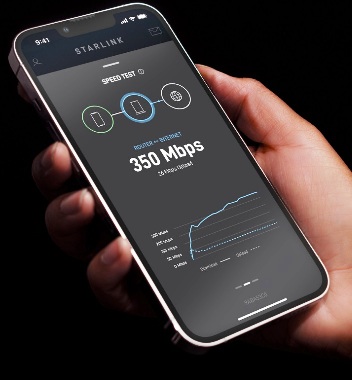
Many Starlink users assume that slow internet speeds, buffering, or unreliable connections are caused by the satellite service itself. In reality, the Starlink network often delivers excellent performance, while the limitations are found within the local Wi-Fi environment. Router placement, building construction, wireless interference, device congestion, and poor network design can all reduce the quality of the user experience. Proper Wi-Fi optimization ensures that the performance delivered by the Starlink satellite network is fully available throughout your home, office, or commercial facility.
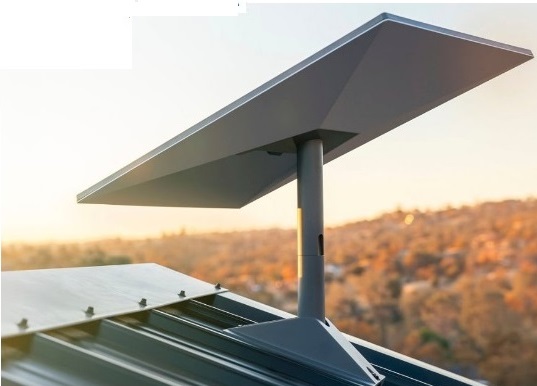
A Starlink system consists of two separate but equally important components. The outdoor antenna establishes communication with the Starlink satellite constellation, while the indoor router distributes that internet connection to wireless and wired devices. Even when the satellite connection performs flawlessly, poor wireless coverage inside the building can create dead zones, inconsistent speeds, dropped video calls, and unreliable smart device connections. Understanding the difference between internet performance and Wi-Fi performance is the first step toward building a faster, more reliable network.
Router placement has a significant impact on wireless coverage. Wi-Fi signals radiate outward in all directions and are weakened by distance and physical obstacles. Locating the router inside a cabinet, equipment closet, basement, utility room, or behind large furniture restricts signal propagation and reduces overall coverage. For the best results, the router should be installed in a central, elevated location with minimal surrounding obstructions. This placement allows the wireless signal to reach more devices while reducing the number of barriers the signal must penetrate.
Building materials also influence wireless performance. Concrete walls, brick, stone fireplaces, metal framing, radiant barriers, steel roofs, mirrored surfaces, and reinforced construction can significantly reduce signal strength. Larger homes, multi-story buildings, warehouses, retail stores, schools, and commercial facilities often exceed the practical coverage area of a single wireless router. In these environments, expanding the network with professionally positioned wireless access points or a mesh Wi-Fi system provides more consistent coverage than relying on one device to serve the entire property.
Mesh networking has become one of the most effective methods of extending wireless coverage. Instead of broadcasting from a single location, multiple mesh nodes work together to create one seamless wireless network. As users move throughout the building, their devices automatically connect to the strongest available node without requiring manual reconnection. This approach improves roaming performance, reduces dead zones, and provides more uniform coverage across large or complex properties.
Whenever possible, Ethernet backhaul should be used between mesh nodes and wireless access points. While wireless mesh communication offers convenience, wired Ethernet connections eliminate wireless backhaul congestion and preserve available bandwidth for connected devices. Structured Ethernet cabling provides greater stability, lower latency, and higher throughput, making it the preferred solution for business environments, large residences, and properties supporting numerous connected devices.
Wireless interference is another common cause of reduced network performance. Numerous household and commercial devices operate within the same radio frequency spectrum used by Wi-Fi, including neighboring wireless networks, cordless phones, Bluetooth equipment, baby monitors, wireless cameras, microwave ovens, and smart home devices. Professional Wi-Fi optimization includes evaluating channel utilization, selecting appropriate frequency bands, minimizing interference, and balancing connected devices across available wireless resources.
Modern Wi-Fi technology supports both 2.4 GHz and 5 GHz frequency bands, each serving different purposes. The 2.4 GHz band offers greater range and improved penetration through walls but generally provides lower throughput and experiences more interference. The 5 GHz band delivers significantly higher speeds and greater capacity while operating over shorter distances. Proper network configuration allows compatible devices to utilize the most appropriate band based on their location, capabilities, and performance requirements.
As connected devices continue to increase, network capacity becomes just as important as internet speed. A typical property may include smartphones, laptops, desktop computers, televisions, streaming devices, gaming consoles, security cameras, network video recorders, voice assistants, thermostats, lighting controls, appliances, printers, and numerous Internet of Things (IoT) devices operating simultaneously. Effective Wi-Fi optimization distributes network resources efficiently while ensuring that high-priority applications receive the bandwidth they require.
Advanced network design may also include quality of service (QoS) policies, virtual local area networks (VLANs), guest wireless networks, enterprise-grade access points, managed switches, and centralized wireless management. These technologies improve security, simplify administration, and optimize performance for both residential and commercial environments. Organizations with demanding connectivity requirements often combine Starlink with professionally designed local area networks to achieve enterprise-level reliability and scalability.
Regular network maintenance is equally important. Firmware updates, router optimization, security monitoring, wireless channel analysis, and periodic performance testing help maintain optimal operation as networking technology evolves and the number of connected devices increases. Reviewing network performance over time allows potential issues to be identified and corrected before they affect productivity or user experience.
Starlink delivers exceptional satellite internet performance, but the overall experience depends on the quality of the local network distributing that connection. Professional Wi-Fi optimization transforms a basic installation into a high-performance communications platform capable of supporting streaming media, remote work, online learning, cloud applications, smart homes, enterprise networking, and countless connected devices. By combining strategic router placement, intelligent wireless design, structured cabling, and modern networking technologies, users can maximize the full potential of their Starlink internet service and enjoy fast, reliable connectivity throughout their entire property.
---
Know more
Understanding Wi-Fi vs. Internet Speed
Internet bandwidth
Local Wi-Fi throughput
Latency
Packet loss
Signal strength
---
Choosing the Best Router Location
Central placement
Elevated mounting
Avoid enclosed cabinets
Distance from metal objects
Heat considerations
---
Mesh Wi-Fi vs. Wireless Access Points
Compare:
Consumer mesh systems
Wired access points
Ethernet backhaul
Roaming performance
Scalability
---
Understanding Wi-Fi Frequencies
2.4 GHz
5 GHz
Wi-Fi 6
Wi-Fi 6E
Wi-Fi 7
Channel width
DFS channels
---
Common Wi-Fi Performance Problems
Weak signal
Dead zones
Interference
Device overload
Poor router placement
Outdated firmware
Slow roaming
---
Best Practices for Business Networks
VLANs
Guest Wi-Fi
Enterprise access points
QoS
Managed switches
Network monitoring
Redundant internet connections
---
Frequently Asked Questions
Why is my Starlink speed fast outside but slow inside?
Does Starlink include a mesh Wi-Fi system?
How many mesh nodes do I need?
Should I use Ethernet instead of Wi-Fi?
Can Starlink support dozens of connected devices?
How do I improve Wi-Fi coverage in a large home?
What's the difference between Wi-Fi 6 and Wi-Fi 7?
Get Quote & Schedule Best StarLink Internet Satellite Dish Installation Services by Our Certified StarLink Installers in all Southern CA cities, from N. Santa Barbara to San Diego, Palm Spring & Los Angeles for Businesses, Homes, RVs, Mobile Homes and Boats Call 310-470-2320 - StarLinkLosAngeles.com
Optimize your Starlink Wi-Fi network with expert guidance on router placement, mesh systems, Ethernet backhaul, access points, interference reduction, and performance tuning.